
Free · Quick / Full Scan
MDMinfo

MDMinfo

Check a Mac before you buy: MDM, ADE, and common bypass signs—in plain language.

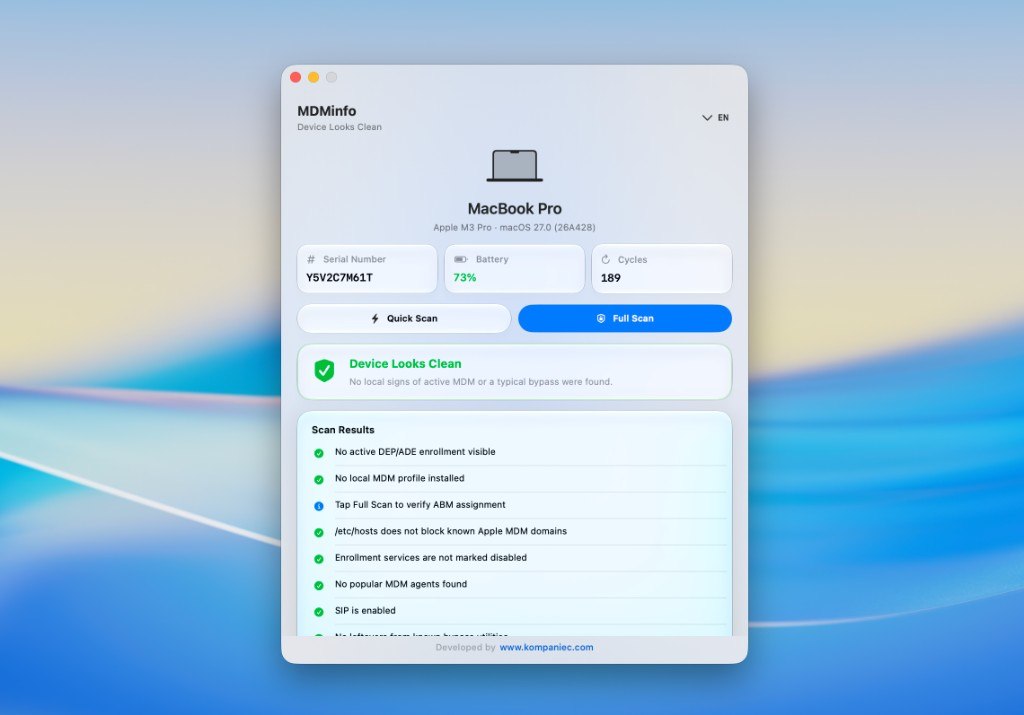
MDMinfo is a small macOS utility. It looks for MDM and DEP/ADE enrollment, Apple MDM domain blocks in /etc/hosts, Jamf/Kandji/Intune agents, SIP, and bypass leftovers—then tells you if the Mac looks clean.

  • Platform macOS
  • Categories Utilities
  • Size 684 KB
  • Downloads 3 downloads

Built by www.kompaniec.com · v1.0 · free

MDMinfo

Why it exists

Before buying an iMac, MacBook, Mac mini, or Mac Studio, know whether MDM is tied to the machine—and whether erase will lock you out.

A used Mac can look fine until you erase it—then Remote Management returns if the device is still assigned in Apple Business Manager or Apple School Manager.

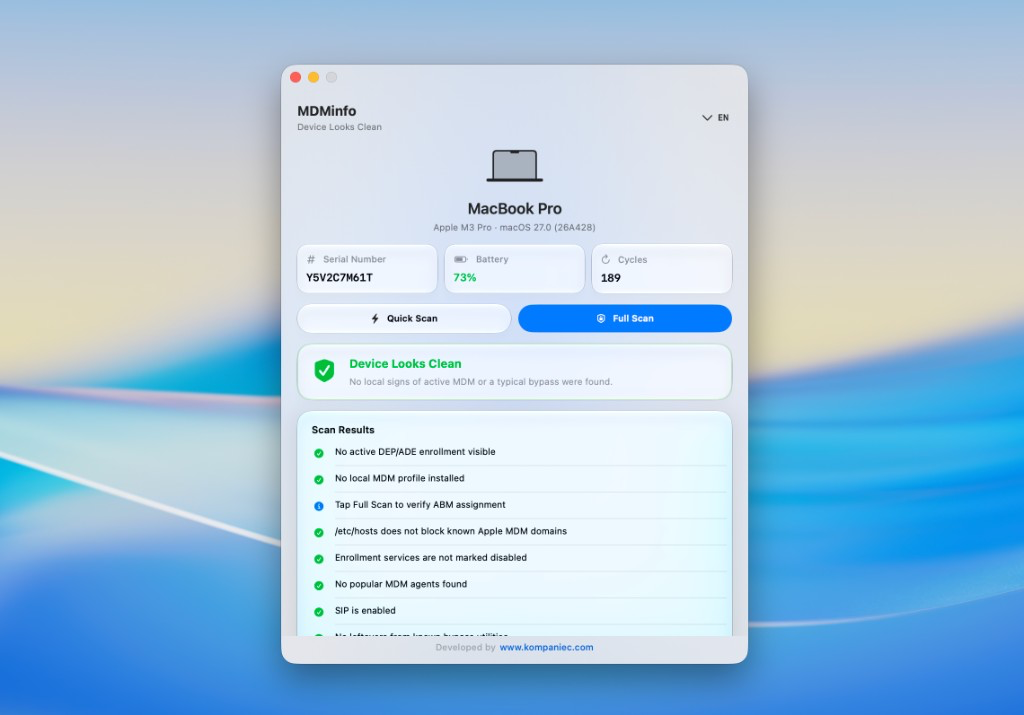
MDMinfo summarizes the risk: device looks clean, Mac under MDM, signs of a bypass, or elevated MDM/ADE risk. It also shows model, serial number, battery level, and cycle count—handy when inspecting hardware.

Quick Scan runs locally without an admin password. Full Scan uses administrator rights and checks with Apple (including ABM assignment).
What it checks

Enrollment status via profiles

Apple MDM domain blocks in /etc/hosts

CloudConfig markers and disabled enrollment services

Traces of Jamf, Kandji, Intune, and other agents

SIP and leftover files from bypass tools

Quick Scan without password · Full Scan with admin

Model, serial, battery, and cycle count

UI: EN, RU, 中文, 日本語, DE, FR, IT, 한국어

Who it’s for

Used-Mac buyers, refurb shops, and resellers who want a fast MDM risk checklist.

Buying a Mac privately and checking before payment

Remote Management reappears after erase

Need serial, battery, and cycles in one window

Suspicious hosts edits or bypass leftovers

Interface

FAQ

Quick Scan vs Full Scan?

Quick Scan is local checks without a password. Full Scan adds admin-only checks and Apple/ABM assignment verification.

Which Macs are supported?

macOS Sonoma 14+ on Apple Silicon or Intel.

Does MDMinfo remove MDM?

No. It diagnoses risk—it does not bypass or remove profiles.

Which languages?

English, Russian, Chinese, Japanese, German, French, Italian, Korean.

Download MDMinfo

Install via .dmg. macOS Sonoma 14 or later.

Download MDMinfo