
Free · ZIP · RAR · 7Z

Zippu

Free ZIP, RAR, 7Z and tar.gz archiver for Mac.

Zippu is a free macOS archiver. Drop files into the window or onto the menu-bar zipper — it builds ZIP, RAR, 7Z or tar.gz.

  • Platform macOS
  • Categories Utilities
  • Size 2.5 MB
  • Downloads 0 downloads

Built by www.kompaniec.com · v1.0 · free

Zippu

How it works

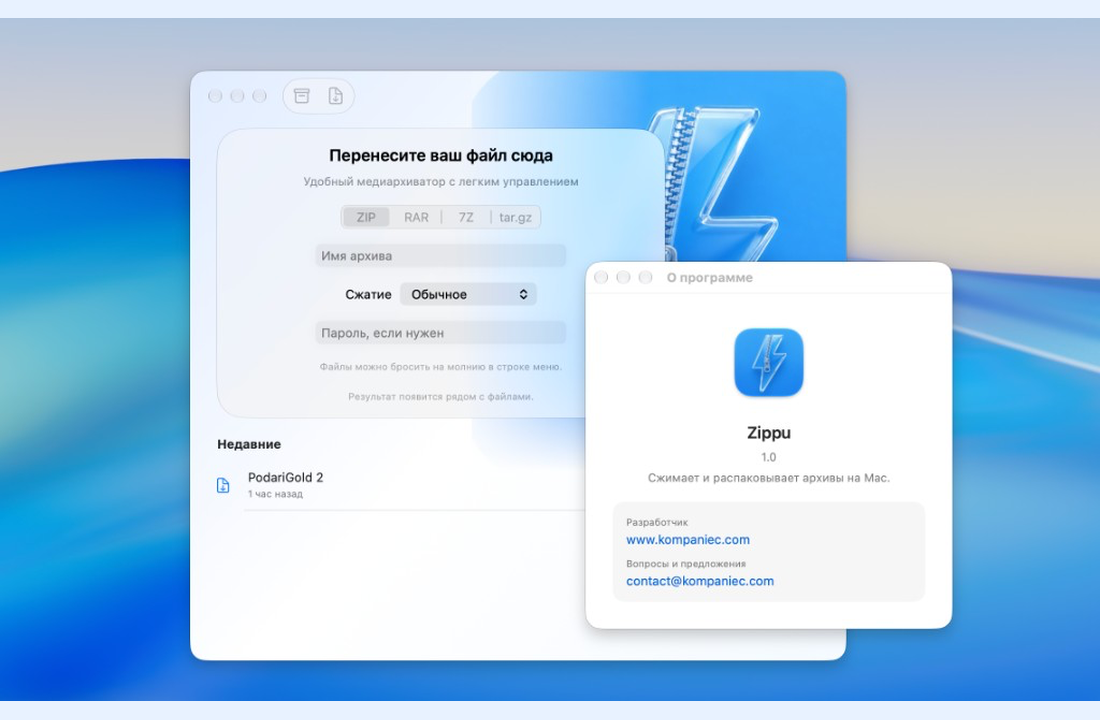
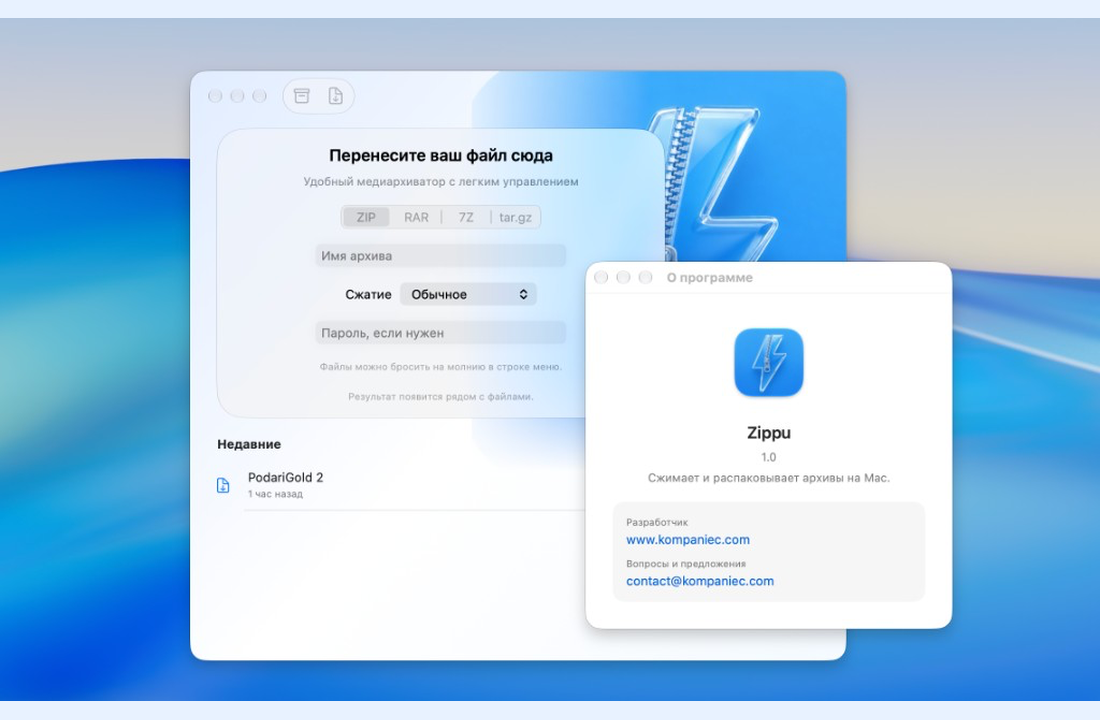
Drop files, pick a format, done. Or open an archive and pull out one file without extracting everything.

Open an archive as a list: extract everything or just one file. Name, password and compression level live in the same window — no extra dialogs.

The same actions are in Finder’s right-click menu. The result appears next to your files. Everything stays on your Mac.

No subscriptions and no hidden limits: download the .dmg, open Zippu and go. Built by Kompaniec.
Features

Compress to ZIP, RAR, 7Z and tar.gz

Extract all or a single file from the list

Drag & drop into the window or menu-bar zipper

Archive name, password and compression in one place

Finder right-click actions

Recent archives list

Fully free — no subscription

Lightweight .dmg install

Who it’s for

Anyone who wants a simple, fully free Mac archiver without subscriptions.

Tired of paid archivers and trials

Need ZIP, RAR and 7Z in one app

Prefer drag & drop and the menu bar

Want password and compression without extra windows

Interface

FAQ

Which formats are supported?

ZIP, RAR, 7Z and tar.gz — compress and extract.

Can I set a password?

Yes. Password and compression level are set in the same window as the archive name.

Does it integrate with Finder?

Yes. The same actions are in the right-click menu. You can also drop files onto the menu-bar zipper.

How much does it cost?

Fully free. Download from Kompaniec.

Download Zippu

Install via .dmg. Create and open archives right after launch.

Download Zippu